You can use the Employee Dashboard to keep your personal information up to date, including your address, phone number, personal email address, and emergency contacts. Please note that only certain fields can be added or edited within the dashboard.
Reviewing and updating personal information
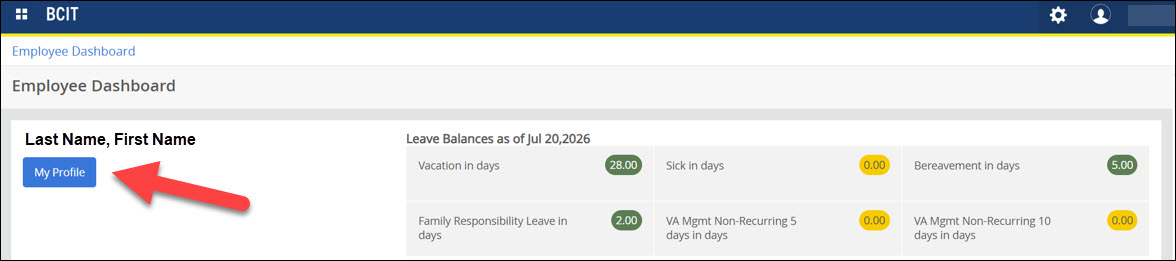
In your Employee Dashboard, click My Profile.
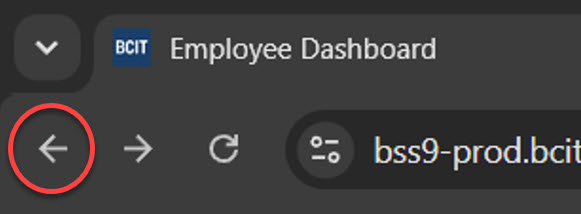
You can return to the Employee Dashboard at any time by clicking the Back arrow.
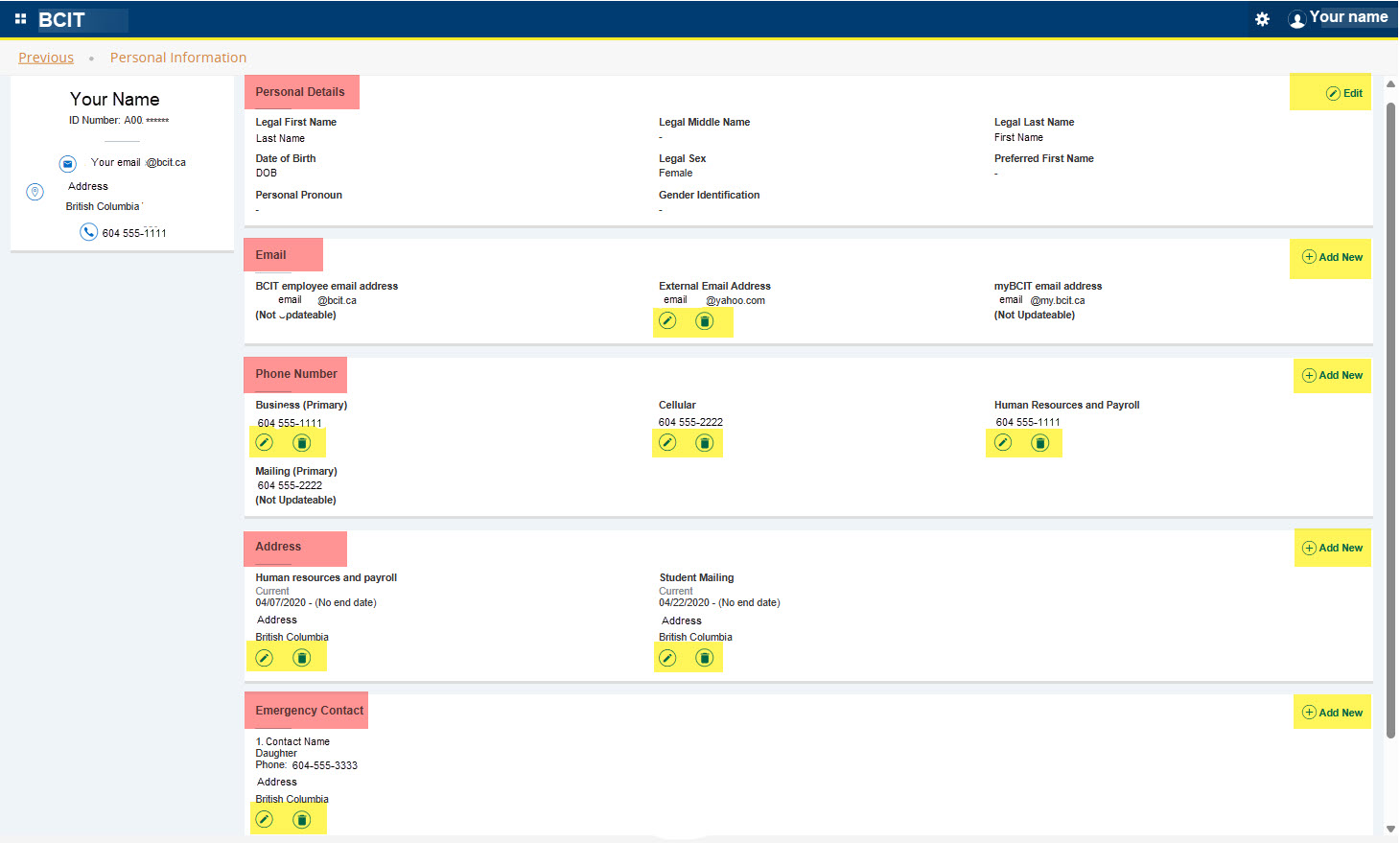
Your Personal Information will display both Employee and Student information. Scroll down the page to view further sections.
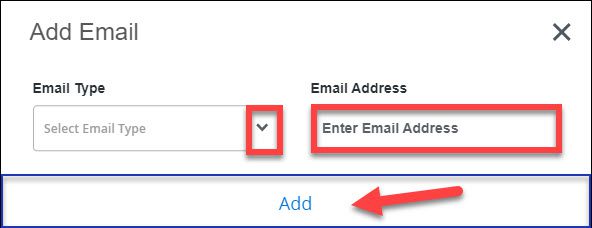
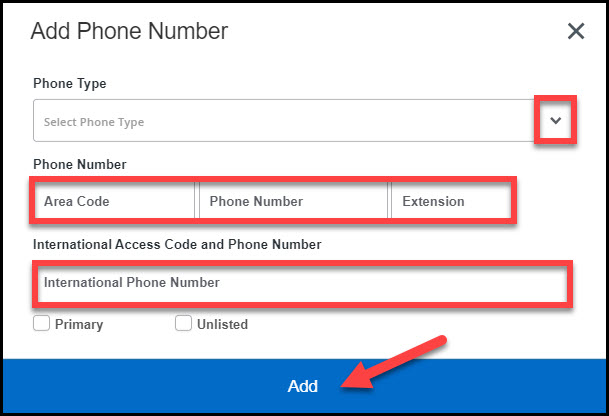
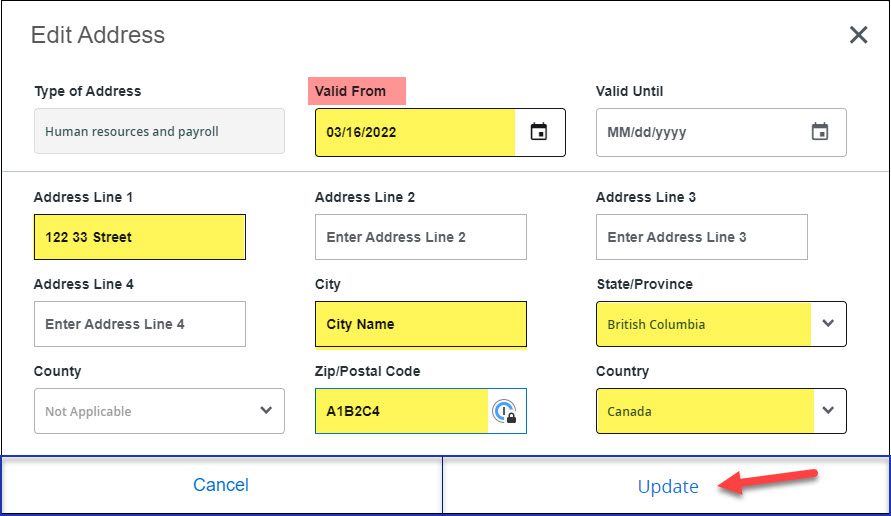
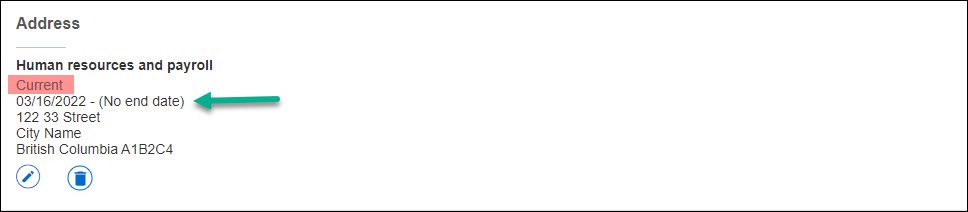
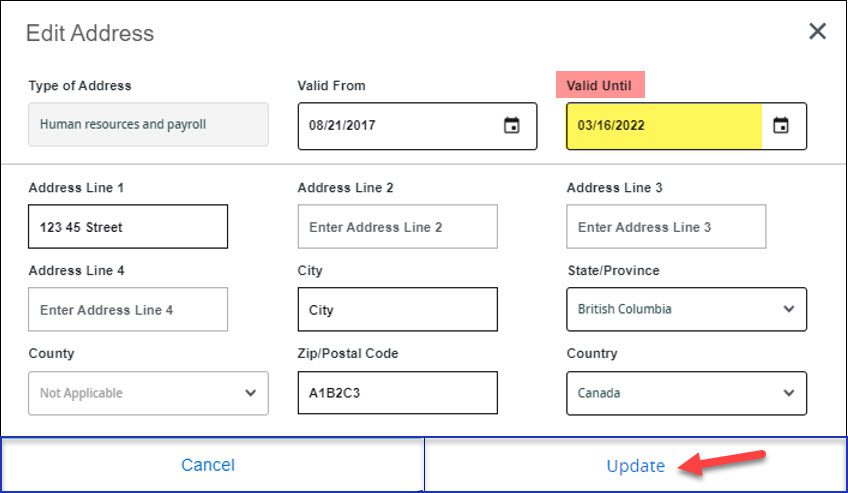
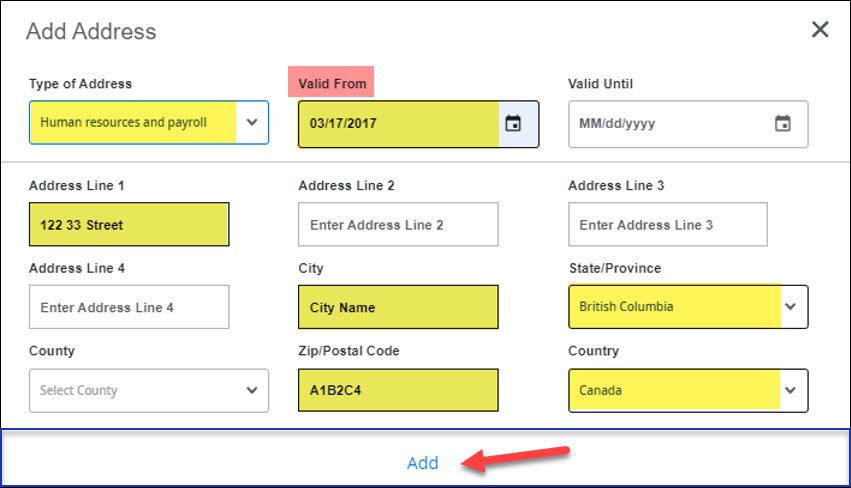
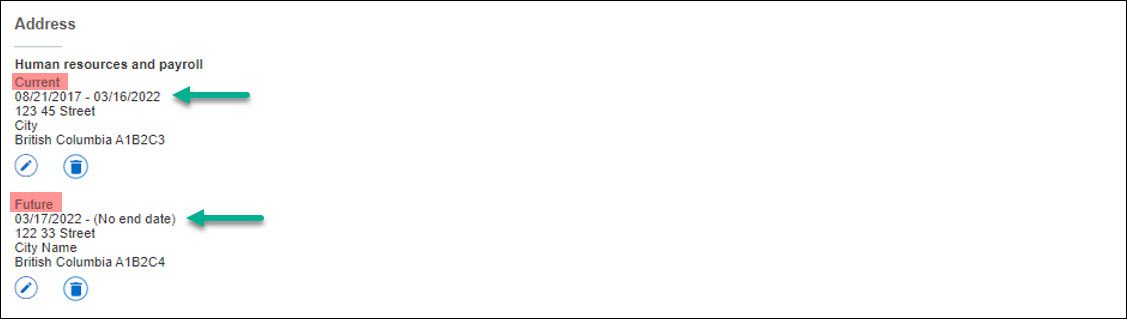
To make edits, click on the areas with a (pencil icon) Edit, (+) Add New, or (trash icon) Delete.
IMPORTANT
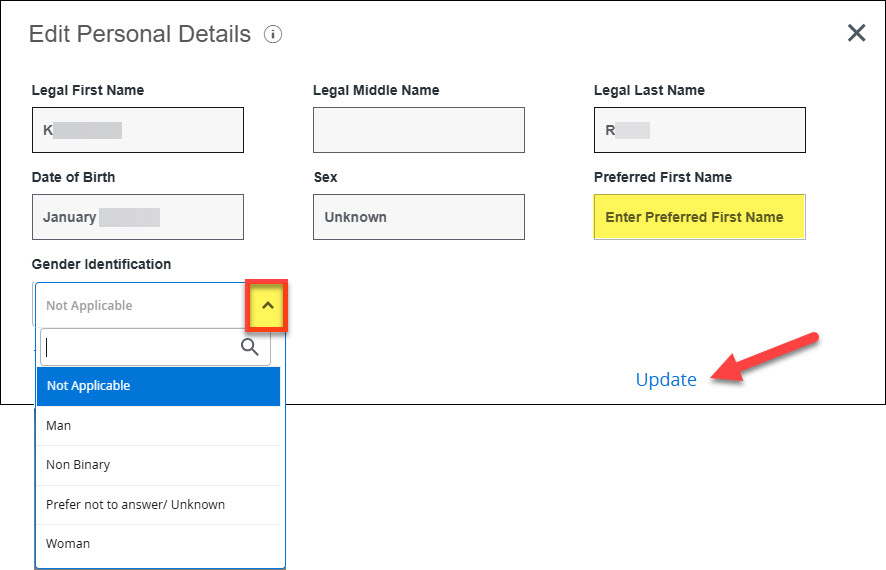
Review the sections below to see which personal information fields you can update in your Employee Dashboard.


More information about myBCIT
-
About myBCIT, Online Self Service, and myBCIT Email for Students
-
myBCIT Announcement Guidelines and Frequently Asked Questions
-
Printing your Tuition Tax Receipt T2202 in myBCIT Online Self Service
-
Retrieving/Resetting Lost or Forgotten BCIT Login Credentials
-
Updating your Contact Information in myBCIT Online Self Service
-
Using the right BCIT account: If you are an Employee and a Student
-
Viewing and Ordering Transcripts in myBCIT Online Self Service