Important! Use your personal email address when setting up your Microsoft account
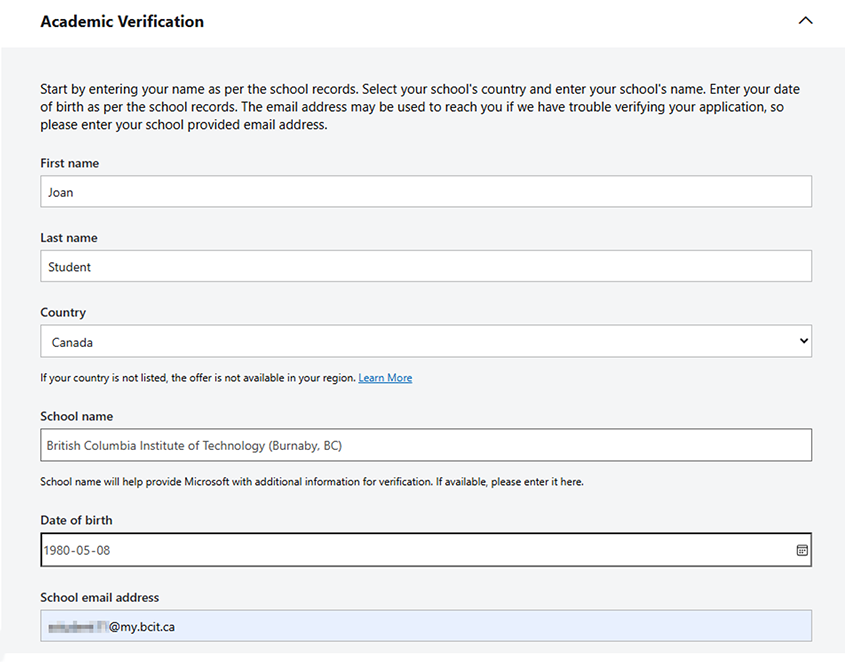
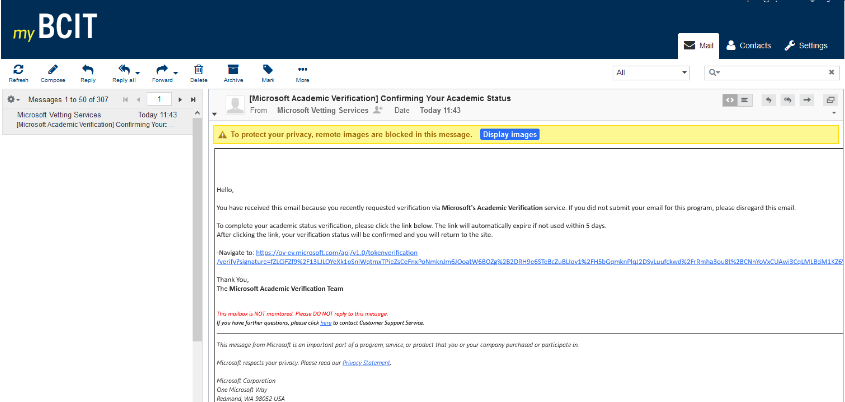
In order to set up a subscription you need to have both a personal Microsoft account attached to a personal email address and an active @my.bcit.ca email address which you will use only to verify that you are a BCIT student.
If creating a new Microsoft account, do not use your @my.bcit.ca email address as this will not give you access to any products. Instead, use your personal email address (i.e., @hotmail.com, @gmail.com, @aol.com, etc.).
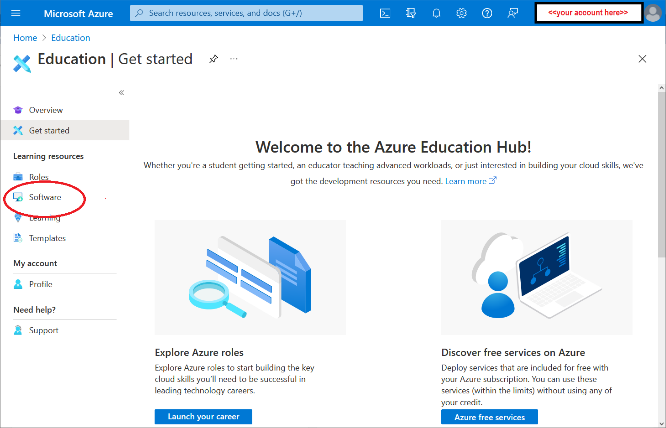
Azure Dev Tools for Teaching provides developer tools and learning resources designed to support students in Science, Technology, Engineering, and Math (STEM) programs.
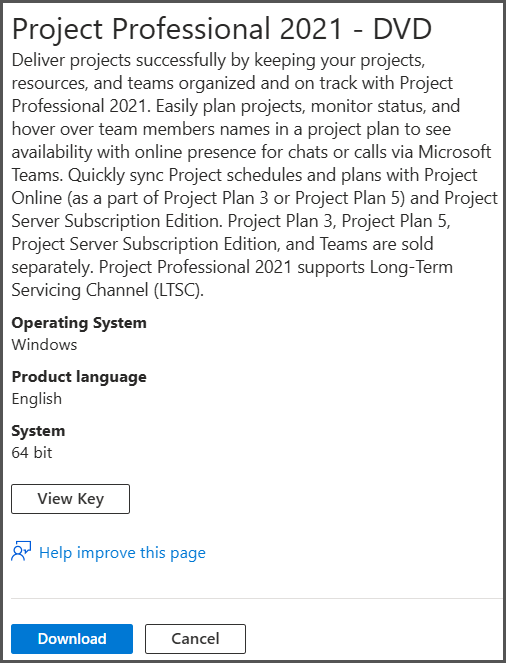
This program offers access for eligible academic students to a variety of applications – including Visio, Project, Microsoft Windows and Server operating systems, SQL Server, and more – along with $100 USD credit for Microsoft Azure cloud services.
Please note that Microsoft Office is not included in Azure Dev Tools for Teaching. For instructions on accessing and downloading Office 365 apps, see Downloading & Activating Microsoft Office 365 .



More information about software & licensing
-
Frequently Asked Questions About BCIT-Issued Laptops for Faculty and Staff
-
Problem with Windows Security pop-up when launching Application
-
Problem with Windows Security pop-up when launching ShareLink Application
-
Software Installed on BCIT-issued Windows Devices for Employees
-
Testing AppsAnywhere Software in BCIT Computer Labs Remotely